Privacy First
PDF and image tools process files in your browser. Word to PDF clearly identifies its server upload before you select a file.
Convert, compress and organize PDFs in your browser, or convert Word documents to PDF online.
PDF and image tools process files on your device. Word to PDF uploads your document for server conversion.
Choose a tool to see how it handles your file. PDF and image tools process files in your browser; Word to PDF uploads the document for server conversion.
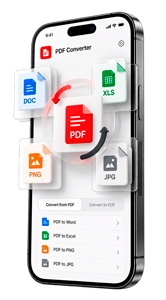
Select the conversion you need, such as JPG to PDF or PDF to JPG.
Choose a file from your device and start the conversion.
Save the converted file to your device.
PDF and image tools process files in your browser. Word to PDF clearly identifies its server upload before you select a file.
Convert supported PDF and document formats for free, with clear information about any applicable limits.
Work with PDF files in your browser without downloading a separate desktop application.
Choose your format, select a file and download the result — without unnecessary steps.
A practical comparison of standard online workflows and free access, based on current official product information.
| What matters |  Convert2PDFLocal processing Convert2PDFLocal processing |  iLovePDF iLovePDF |  Smallpdf Smallpdf |  PDF24 PDF24 |  PDF2Go PDF2Go |
|---|---|---|---|---|---|
| Standard online processing | On your device | On provider servers | On provider servers | Varies by tool | On provider servers |
| Document upload to a conversion server | Not required | Required for standard web tools | Required for standard web tools | Required for some tools | Required for standard web tools |
| Server file retention | Never uploaded | Up to 2 hours | Usually 1 hour | Up to 1 hour | Up to 24 hours |
| Free access without a paid subscription | Available | Available with limits | Available with limits | Available | Available with limits |
| Limits on free use | No daily task quota; technical limits apply | Free-plan limits vary by tool | Daily free-use limits | No advertised usage quota | Credits and processing limits |
| Account for basic use | Not required for basic tools | Not required for basic tools | Not required for basic tools | Not required for basic tools | Varies by tool |
Unlike traditional cloud-based PDF converters, Convert2PDF uses modern browser-based technology to process documents directly on your device. This keeps your files private, eliminates unnecessary uploads and downloads, saves internet bandwidth, and lets you work with PDFs for free — without registration or daily usage quotas.
This comparison covers publicly described standard online workflows and free access, not every specialist tool, desktop application or paid plan. Features and terms can change. An upload requirement does not mean a provider is unsafe.
Server retention times describe standard online document processing. iLovePDF has longer retention for signed documents; Smallpdf has separate eSign retention and optional account storage; PDF24 also offers local processing through PDF24 Creator; PDF2Go may delete files earlier after 10 downloads or manual deletion.
Official sources: Convert2PDF File Privacy, iLovePDF terms, iLovePDF security, iLovePDF documentation, iLovePDF pricing, Smallpdf support, Smallpdf pricing, PDF24 local-processing example, PDF24 FAQ, PDF2Go privacy, PDF2Go pricing, PDF2Go no-registration example, PDF2Go file retention.
Brand names and marks belong to their respective owners. No affiliation or endorsement is implied.
Helpful answers about supported formats, browser-based conversion and file privacy.
A PDF converter is an online tool that changes files into PDF documents or converts PDFs into other supported formats. Convert2PDF helps you work with documents and images directly from your web browser.
Convert2PDF offers free PDF conversion tools. You can select a supported format, convert your file and download the result. Any applicable limits are shown in the tool.
Convert2PDF is designed with privacy in mind. Supported conversions are performed locally in your browser, so the file does not need to be uploaded to our servers. If a tool requires server processing, this should be clearly disclosed before conversion.
File privacy depends on how a converter processes your documents. Convert2PDF prioritizes browser-based processing where supported, helping reduce unnecessary file transfers. See our File Privacy page for details.
Yes. Convert2PDF works in a compatible web browser, so you do not need to install a separate desktop application for supported conversions.
Convert2PDF offers tools for supported PDF and image formats, including PDF, JPG and PNG, depending on the conversion selected. Browse the available tools to find the format you need.
Yes. Convert2PDF is a browser-based PDF converter for iPhone and iPad, Android phones and tablets, MacBook and other macOS computers, Windows PCs and laptops, and modern Linux devices. Performance can vary depending on device memory, browser version and file size.
Convert2PDF works in current versions of popular browsers, including Google Chrome, Microsoft Edge, Mozilla Firefox, Safari, Opera and Brave. Other modern browsers can also work when they support the web technologies required for secure, browser-based file conversion.
Results depend on the source file and target format. Some conversions preserve the original appearance closely, while complex tables, fonts or layouts may need adjustments after conversion.
Browser-based conversion can reduce internet data usage because supported files do not need to be uploaded and downloaded from a processing server. The website and its tools still require an initial download, and some features may need an internet connection.
Illustrative examples of how people handle everyday PDF and image tasks with Convert2PDF.

I can organize a PDF without sending confidential documents to another server. The workflow is clear and quick.

Local browser processing is important when the files contain business records and private information.

There are no unnecessary steps: choose the document, make the change and download the result.

Converting client images into one PDF takes a few clicks, and I can arrange everything before downloading.

I regularly combine campaign materials into one PDF and the result is ready to share immediately.

The tools work consistently across different document tasks, so there is very little to learn.

The page tools are simple enough to use without installing desktop software or creating an account.

The controls explain what will happen before processing, which helps prevent accidental changes.

I appreciate that the interface clearly states when processing happens locally on my device.

Page previews make it easy to check the document before I remove or reorder anything.

Splitting lecture notes into separate files is fast, even when the original PDF has many pages.

Turning product images into an ordered PDF is much easier than rebuilding the document manually.